Content Credentials stay separate
Recognized C2PA container bytes are preserved by default. SafeShare reports “preserved · not cryptographically verified” and never calls that proof of validity.
 SafeShare
Live on Google Play
SafeShare
Live on Google Play
Inspect hidden EXIF, GPS location, device details, timestamps, XMP and IPTC on your phone—then create verified new copies without changing your originals.
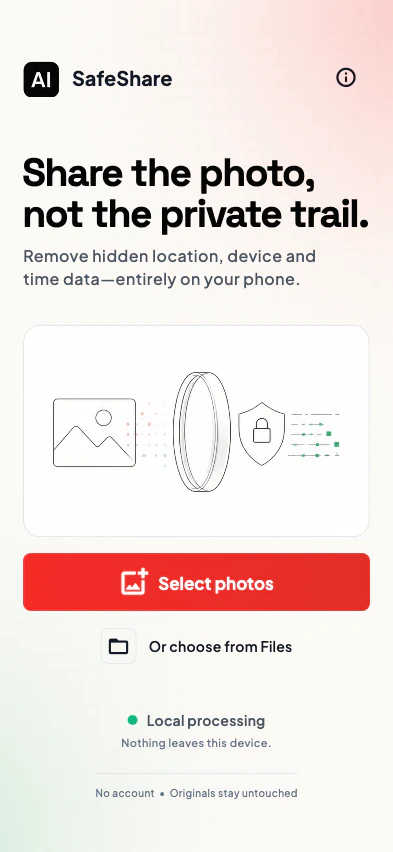
The real SafeShare flow
SafeShare turns hidden metadata into plain-language categories, gives you controls, then rechecks every new file against your choices before it is ready to share.
Use the system picker for a batch of up to 50 files, with a 10 MiB limit per file.
See which photos contain location, device identity, timestamps, other metadata, or Content Credential containers.
Safe defaults remove private categories while orientation and color profiles remain preserved by default.
Each completed output is re-read and compared with the requested policy before it can count as a success.
Send verified outputs to the platform share sheet or save copies to Photos. Your selected originals remain unchanged.
Every screen below comes from SafeShare’s current approved 393 × 852 device gallery.
Four current app screens. On smaller screens, swipe, scroll, or use the arrow keys.
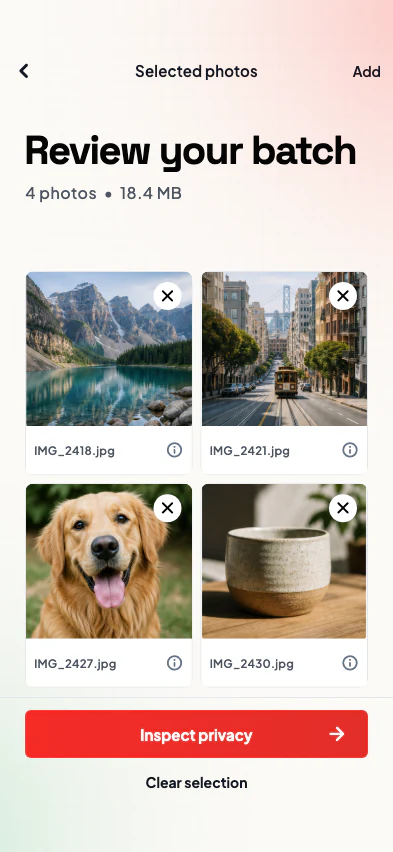
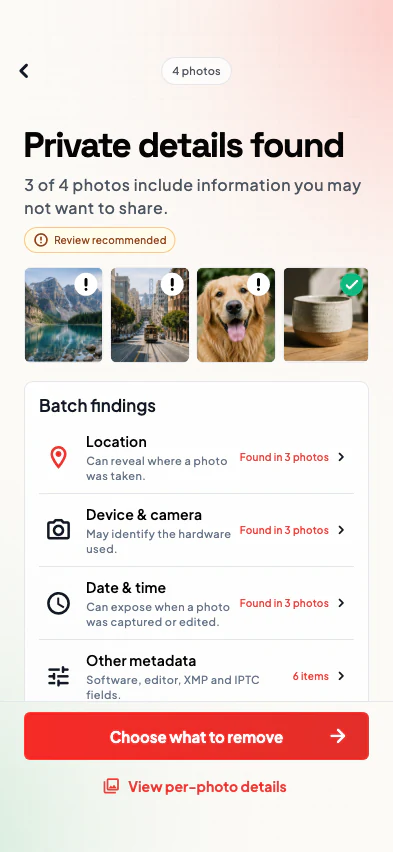
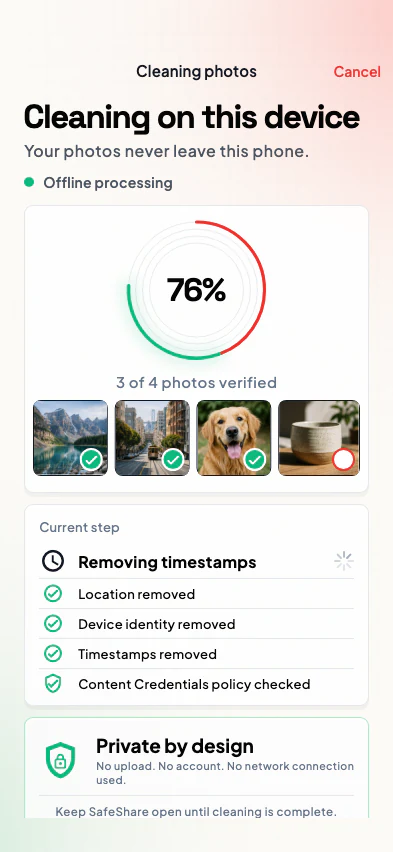
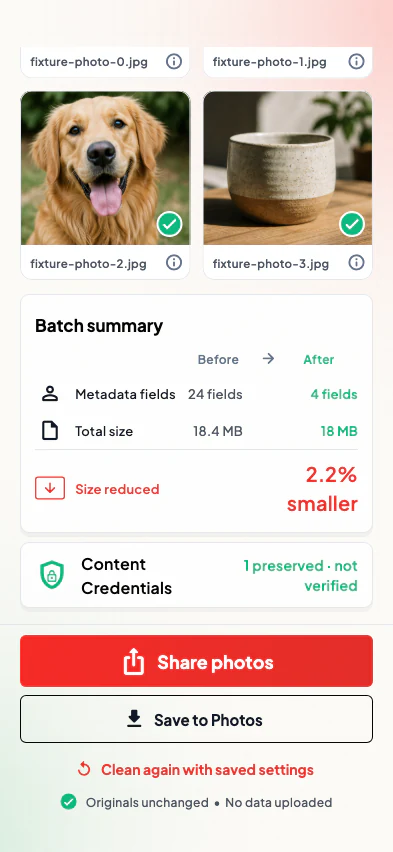
Privacy findings are grouped by what they can reveal—not buried in a technical tag dump.
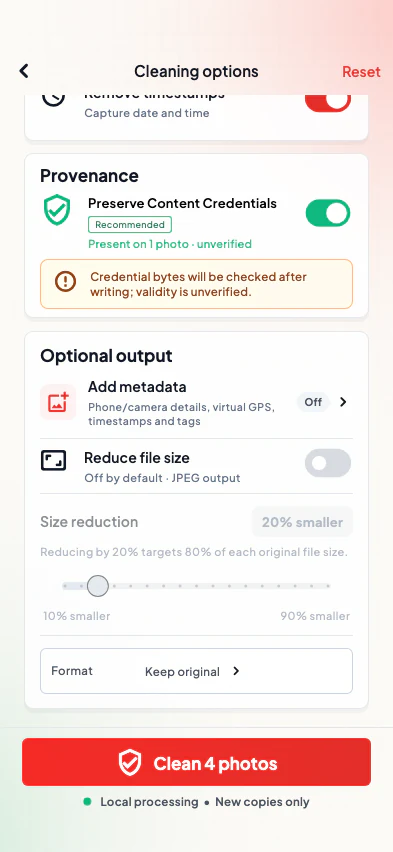
SafeShare starts with location, device identity, timestamps and other private metadata selected for removal. Optional output settings are separate and clearly labeled.
Recognized C2PA container bytes are preserved by default. SafeShare reports “preserved · not cryptographically verified” and never calls that proof of validity.
A percentage size target forces JPEG output. The app reports the physical before-and-after totals, including honest file growth when it happens.
Optional camera, timestamp, virtual GPS and software fields live in a distinct three-step output flow and force JPEG re-encoding.
SafeShare checks the file signature, structure and extension before metadata inspection.
Inspect and remove supported metadata without rewriting encoded image data when you keep the original format.
Accepted for inspection and cleaning, but their container structure does not support SafeShare’s metadata-only rewrite path.
Not accepted by the current workflow. Unknown, malformed and extension/signature-mismatched files also fail with a per-file reason.
No uploads
New copies only
Photo privacy is easier to reason about when the cleaning engine does not need a server.
Different tools solve different jobs. SafeShare is designed for people who want inspection, controls and verification before sharing.
| Approach | Processing boundary | Review & controls | Best fit |
|---|---|---|---|
| SafeShare | On the mobile device | Category review, batch controls, output policy and post-write verification | Repeatable privacy checks before save or share |
| Built-in gallery sharing | Varies by device and gallery app | Capabilities vary; some offer a location-sharing toggle | Quick, device-native sharing |
| Upload-based web cleaner | A remote service receives the selected file | Inspection, formats and retention vary by service | Browser convenience without an app install |
Use AICleanify’s existing browser tools and privacy guides, with each page’s processing disclosure in view.
Clean common image metadata with the current AICleanify workflow.
Open the EXIF remover → Privacy guideLearn what photo geotags can reveal before you share.
Explore GPS privacy → Sharing guideReview practical choices for sending photos with less hidden data.
Read the sharing guide →Get help with a file, review app privacy details, or contact the team responsible for SafeShare.
Describe the device, file format, and step where you need help. Do not attach a private photo unless support asks for a safe sample.
Open SafeShare support →Review exactly what the app accesses, what stays local, how temporary files are removed, and what sharing hands off.
Email the configured support address or use the AICleanify contact form. No SafeShare account is required.
Still need help? Open SafeShare support.
SafeShare is live on Google Play. Use any Download SafeShare link on this page to open the official listing for com.aicleanify.safeshare. The Google Play app requires Android 10 or later.
No. Selection, inspection, cleaning, encoding and post-write verification run locally. SafeShare does not upload images or image metadata. Release builds send limited technical crash diagnostics through Firebase Crashlytics, without Google Analytics.
No. SafeShare works from a task-owned copy and never opens the selected original for writing. Save and share actions use verified new output copies.
SafeShare accepts JPEG, PNG, WebP, GIF, classic TIFF and BMP. JPEG, PNG, WebP and GIF support metadata-only Keep original cleaning; TIFF and BMP require re-encoding. BigTIFF, HEIC, HEIF and AVIF are not accepted by the current workflow.
Yes. A picker request accepts up to 50 files, with a 10 MiB limit per file. SafeShare groups location, device identity, timestamps and other metadata so you can review and clean the batch.
No. SafeShare can preserve detected physical Content Credential container bytes and verify byte equality after writing, but it does not cryptographically validate C2PA manifests, signatures, certificates or trust status.
Yes, through a separate opt-in advanced output flow. Those controls can add camera, timestamp, virtual GPS and software fields, force JPEG output and are explicitly labeled as output metadata rather than privacy-cleaning controls.
SafeShare is live on Google Play. Download it and start with a privacy review before your next photo handoff.